
Hi all, new here and new to SO diagnostics. Have been using OTC Genisys classic for years now, and had a Genisys Evo & Maxidas DS708 (both of the latter sold to offset Modis purchase).
I have recently acquired a Vantage v3.0 with KV module, a Modis v13.4 and most recently a Verus v12.4, all off of ebay. Was so impressed with the old Vantage that I bought a Vantage Pro, but quickly realized I wanted 4ch.
Been using the Modis for a coupe of months and like it, but wanted a bigger display, which is where the Verus comes in. Sadly, being a one man show, I can only afford to keep & update one of them. Also have concerns with WinXP only being supported for another 3yrs, and the likelihood of Modis not being supported at all in the near future. Obviously if I keep the Verus it'll need the RAM and HDD upgraded. I don't care about using the Verus on the web, but like the idea off adding OEM software to it as opposed to buying a laptop down the road.
So I humbly ask for your experienced opinions before I spend any additional money on the Verus.
I have recently acquired a Vantage v3.0 with KV module, a Modis v13.4 and most recently a Verus v12.4, all off of ebay. Was so impressed with the old Vantage that I bought a Vantage Pro, but quickly realized I wanted 4ch.
Been using the Modis for a coupe of months and like it, but wanted a bigger display, which is where the Verus comes in. Sadly, being a one man show, I can only afford to keep & update one of them. Also have concerns with WinXP only being supported for another 3yrs, and the likelihood of Modis not being supported at all in the near future. Obviously if I keep the Verus it'll need the RAM and HDD upgraded. I don't care about using the Verus on the web, but like the idea off adding OEM software to it as opposed to buying a laptop down the road.
So I humbly ask for your experienced opinions before I spend any additional money on the Verus.


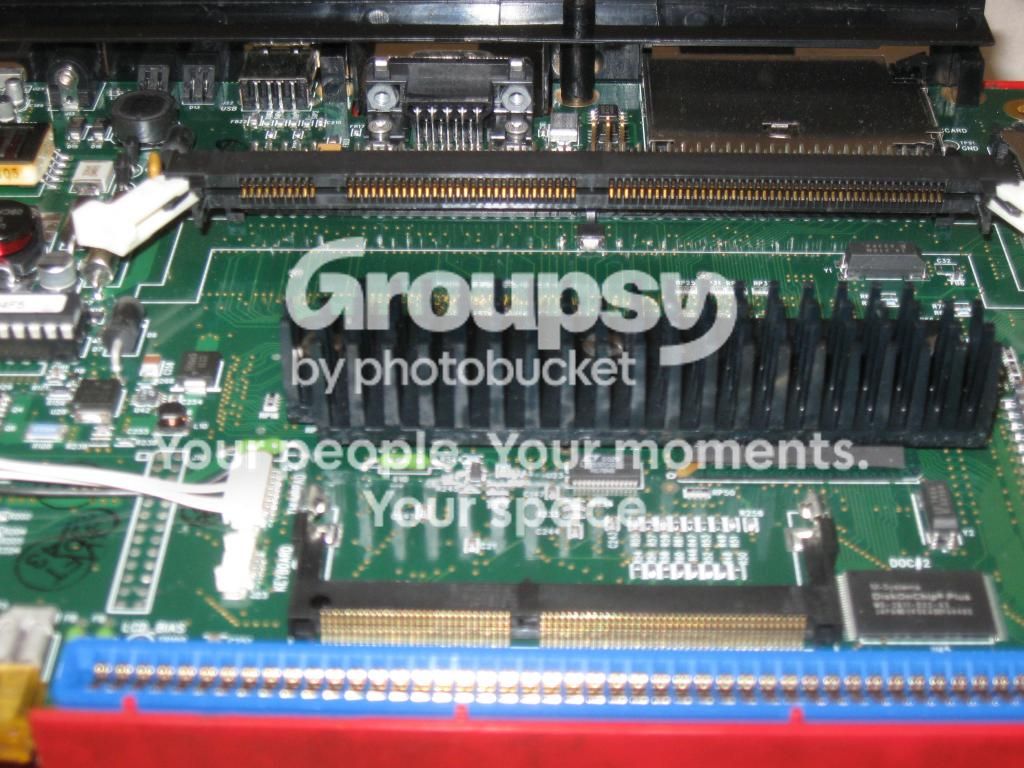
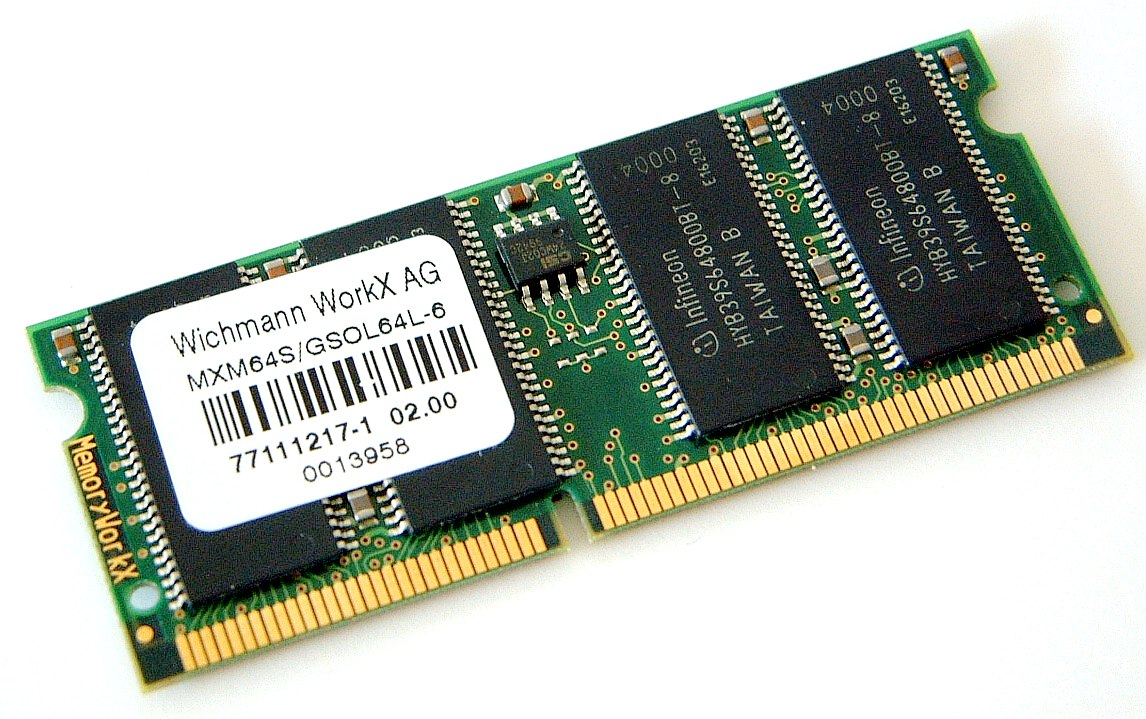
 At these prices, how could I go wrong? The socket for the laptop memory is hidden behind me holding up the main memory in the first photo. Heck, if you can find someone throwing away an old Windows 98 computer, it may have the correct memory in it, that you can harvest for free! Be sure to use proper "anti static" procedures when handling the innards of a computer, which is what the Modis is. If this is all scary to you, enlist the help of one of your computer geek friends, to help you. Note the two notches in the contact area of the memory module in the first photo. That ensures that the memory can only be installed one way. A sort of "idiot proofing". I know, I know. That just ensures better idiots. The white pieces on the ends of the memory socket in the first photo, are the "locking tabs" These ensure that the memory module won't come out, due to vibration. You need to move these outwards [45 degree angle] to unlock the memory module from it's socket.




Comment